1
/
of
3
Airbus A320 IPT Standard Edition | Integrated Procedures Trainer
Airbus A320 IPT Standard Edition | Integrated Procedures Trainer
Product Documents Download
|
Document
|
Version | Product Model | |
|
CNFSimulator.IPT.A320SF
Product Specification
|
V2026.6 | #A320SF | Download |
|
CNFSimulator.IPT.A320SF
User Manual
|
V2026.6 | #A320SF |
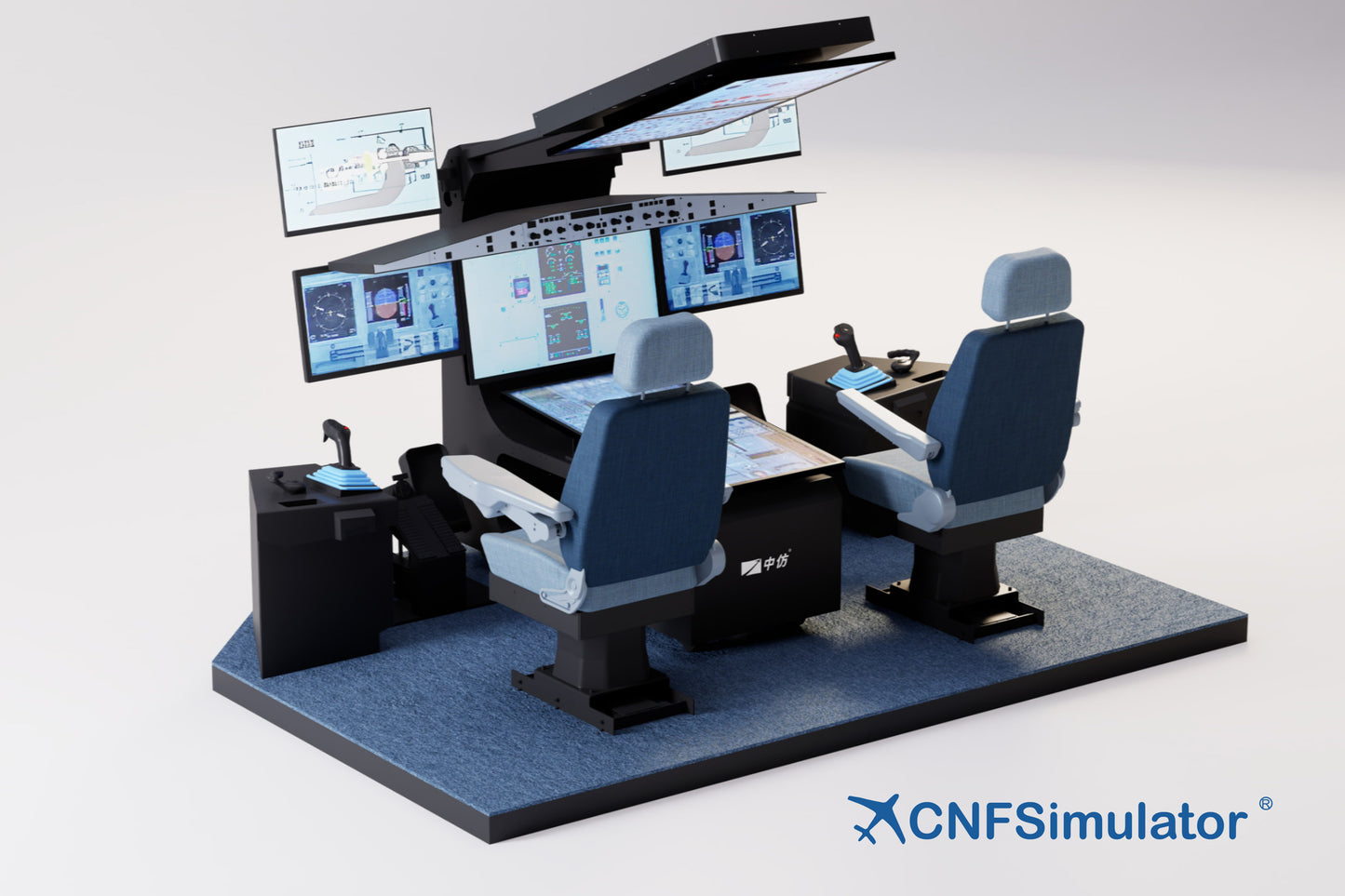
CNFSimulator.IPT.A320SF is the Standard Edition of the Airbus A320 Integrated Procedures Trainer (IPT) from CnTech. Built as an integrated desktop console, it combines physical control hardware with ouchscreen virtual panels, reproducing the A320 cockpit instrument and control layout 1:1 to provide a highly realistic A320 procedures-training environment.
The Standard Edition adopts an open and compatible architecture: through CnTech's proprietary iFSim.Ready flight-simulation assistant, it flexibly connects to mainstream desktop flight-simulation platforms and A320 aircraft models selected by the user, balancing realistic feel, training effectiveness and cost-effectiveness. Compact, easy to deploy and easy to maintain and upgrade, it suits aviation colleges, training organizations, aviation science popularization and individual flight training.
Highlights
- True-to-aircraft layout —— The instrument panel, overhead panel and pedestal follow the real A320 cockpit positions and layout; what you see is what you operate.
- Hardware-software integration, realistic feel —— Key controls such as sidesticks, tiller, rudder pedals and glareshield are physical; large multi-touch screens reproduce the large-area panels, balancing realistic feel and flexibility.
- Open compatibility, rich ecosystem —— Via iFSim.Ready it connects to MSFS, X-Plane, Prepare3D and other platforms and to mainstream A320 models such as Fenix, ToLiss, Jeehell FMGS and ProSim.
- Modular and easy to deploy —— The integrated console has a small footprint and modular structure for convenient installation, relocation, maintenance and future upgrades.
- Broad training coverage —— Supports cockpit familiarization, SOP procedures, flight procedures, instrument-approach procedures and more.
Applications
- Aviation Colleges
- Training Organizations
- Flying Clubs
- Research Institutes
- Science Centers
- Individual Aviation Enthusiasts
Typical uses: cockpit instrument and system familiarization, A320 Standard Operating Procedure (SOP) practice, flight and instrument-approach procedure familiarization, pre-type-rating procedure preview (ACPC support), aviation science popularization and flight experience.
Product Composition
The product hardware provides physical controls, displays and the human-machine environment; the software provides the cockpit virtual panels and third-party platform integration.
Supported Flight-Simulation Software and Models
|
Flight-Simulation Platform
|
Compatible A320 Models
|
| MSFS 2020 / MSFS 2024 |
Fenix A319 / A320 / A321
|
| X-Plane |
ToLiss A319 / A320 / A321
|
| Prepar3D |
Jeehell FMGS A320, ProSim A320
|
For more detailed information please read the "CNFSimulator.IPT.A320SF Product Specification".
Notes:
- The flight-simulation software and models are third-party products to be purchased and installed by the user.
- The Virtual Panel Software does not include instrument displays. Using a plugin, the user pops the model's PFD, ND, MCDU and other instruments out of the flight-simulation software and places them at the corresponding positions on the touchscreens, combining with the CnTech virtual panels to form a complete A320 cockpit.
- The way to enter flight may vary by platform: X-Plane and Prepare3D can be set to start directly at the runway or parking position; MSFS requires completing several menu selection steps before starting the flight.
Production and manufacturing will be completed within 45 days after placing the order.
Shipping: FOB trade, contact us to inquire about logistics prices, your address is needed.
Warranty: 12 months standard warranty.
Packaging: Export wooden crate, suitable for sea/air freight.