


CNFSimulator.A320 RUDTRIM Product Specification (PDF)
RJ45 interface, connecting to computer requires converting to USB by a CAN box. All CnTech's Pedestal components will only need 1 CAN box. Suggesting buying one CAN box for your first order. If you have already purchased CnTech's Throttle Quadrant, then don't need to buy the CAN box again.
Download CNFSimulator.A320 Lower Pedestal User Manual
Product Overview
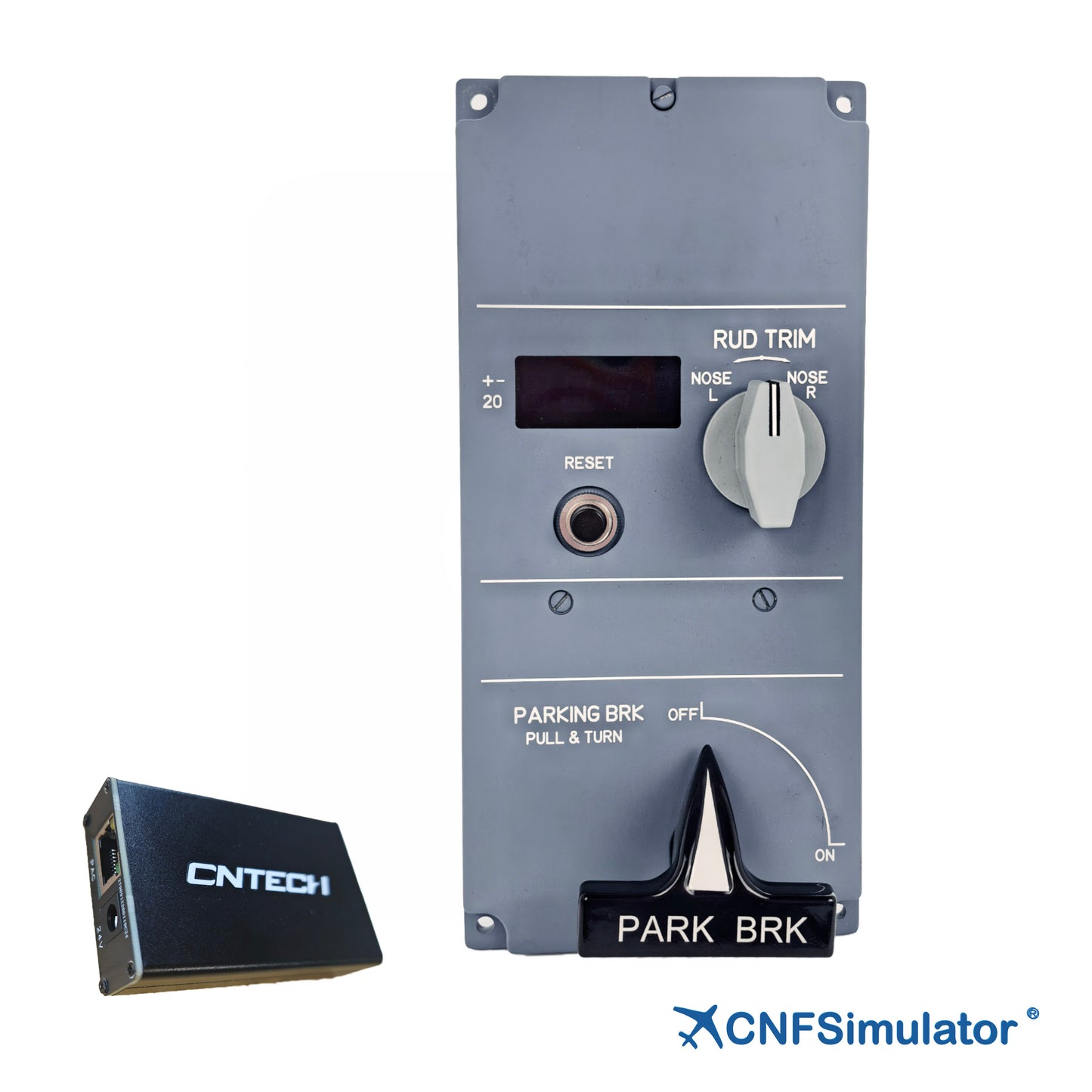
The CnTech A320 Rudder Trim & Parking Brake Panel (RUDTRIM) is designed 1:1 to the real panel. Upper section (rudder trim): a four-digit display shows the trim value, with the RESET button below and the RUD TRIM metal knob to the right. Lower section (parking brake): the PARK BRK grip is non-metallic with a black gloss finish and must be lifted before turning. A professional light guide plate provides warm white backlight.
- Aviation-grade light guide plate
- RUD TRIM knob, self-centring
- Four-digit display; RESET to zero
- PARK BRK lift-and-turn handle
- RJ45 to PC; expansion port
Key Features
- 1:1 True Reproduction
3D-scanned body; holes, knob and handle follow the real panel. - Professional Light Guide
Aviation-grade light guide; even warm backlight, no hot spots or leakage. - Lift-and-Turn Protection
The handle must be lifted before turning, as on the real PULL & TURN brake. - Display and Reset
Four-digit rudder trim over ±20; RESET returns to zero with the simulator. - Detail Fidelity
Four bolts follow the real quick-release shape, painted in the original colour. - High Compatibility
One RJ45 carries power and data; expansion port daisy-chains other panels.
Functional Description
Input Functions
Panel inputs are the RESET button, the RUD TRIM knob and the PARKING BRK handle:
- RESET: round self-resetting button with a silver ring; momentary signal on press, spring return
- RUD TRIM: metal rotary knob, light grey conical with a slot pointer; self-centring both ways
- PARKING BRK: lift-and-turn handle, black grip on a metal shaft; it must be lifted before turning to set or release the brake
Output Functions
Panel outputs are warm-white backlighting plus the trim value display:
- Trim display: the four-digit display shows the current rudder trim value; turning the RUD TRIM knob left or right updates the reading, and pressing RESET returns it to zero
- Backlight: when the light guide plate is lit, the scale and lettering appear warm white and brightness follows the pedestal backlight; with the backlight off the lettering shows white, the display goes dark, and the scale and panel outline stay legible
Compatibility
Technical Specifications
The table below summarises the principal mechanical, electrical and compatibility parameters of the A320 Rudder Trim & Parking Brake Panel.
| Item | Specification |
|---|---|
| Dimensions | 101 × 215.6 × 113 mm (W × H × D) |
| Package Weight | 1 kg |
| Package Size | 250 × 180 × 160 mm (L × W × H) |
| Interface | 1 × RJ45 input (to the CAN converter box; power and data combined) + 1 × RJ45 expansion |
| Expansion | 8P (FLAPS / SPDBRK), 10P (door panel), 2P (backlight) |
| Communication | CAN bus, to the PC via the CAN converter box over USB |
| Cable Spec | RJ45, ≤26 AWG (smaller is thicker), shielded |
| Mounting | 4 × φ5.5 mm through holes, 90 × 204 mm pitch, bracket mounted |
| Add-ons | iFSim A320, ProSim A320, ToLiss A320, Fenix A320, Jeehell A320, etc. |

Customer Support
For any inquiries, please contact us at info@en.cntech.com. Inquiries will be addressed within 2 business days.
Warranty
Includes a 1-year limited warranty.
