


CNFSimulator.A320 FLAPS Product Specification (PDF)
RJ45 interface. The Flaps panel must work with Rudder Trim Parking Brake Panel, unless you will have your own way to collect signals.
Product Overview
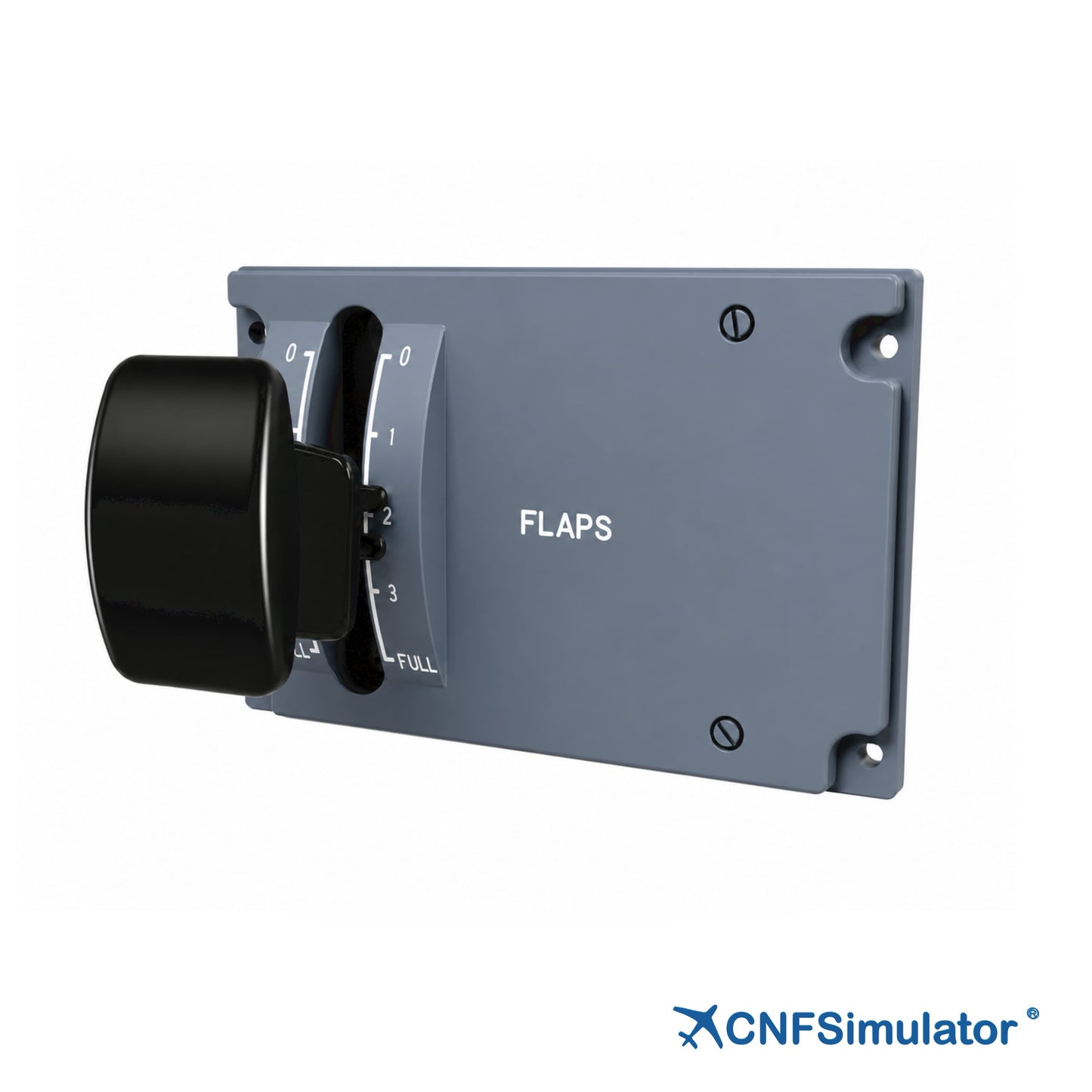
The CnTech A320 Flaps Panel (FLAPS) is designed 1:1 to the appearance, dimensions and operating logic of the real aircraft panel. The handle is machined from scan data of the real panel: a black non-metallic handle sliding fore and aft along the slot, with 0, 1, 2, 3 and FULL silk-screened on the scale plate. The handle must be lifted to unlock before it can be moved.
- Professional light guide plate, warm white backlight
- 5 positions 0, 1, 2, 3, FULL; lift to unlock, real-aircraft logic
- Metal base plate; 4 φ5.5 mm mounting holes at the corners
- 8P connector to the Rudder Trim & Parking Brake panel
- With the Rudder Trim & Parking Brake panel and iFSim.Ready
Key Features
- 1:1 True Reproduction
3D-scanned from the real panel; mounting holes, handle and scale all follow the real design. - Professional Light Guide
Aviation-grade light guide plate with high-grade paint; even warm white backlight, no hot spots or leakage, crisp edges. - Lift-to-Unlock Protection
The handle must be lifted before it can move fore and aft; unlock structure and five-position logic match the real aircraft. - Detail Fidelity
Four fixing bolts follow the real quick-release shape; a dust brush keeps debris out of the handle travel area. - Metal Base Structure
Metal base plate and lower main structure; four φ5.5 mm through holes at the corners. - High Compatibility
8P connector to the Rudder Trim & Parking Brake panel; supports MSFS, Prepar3D and X-Plane via iFSim.Ready.
Functional Description
Input Functions
Panel input is the FLAPS handle with its lift-to-unlock detent mechanism:
- FLAPS handle: lift-to-unlock type in black non-metallic material; it must be lifted before it can move fore and aft along the slot, and it drops into the detent when released
- Detent mechanism: five positions 0, 1, 2, 3 and FULL, with white lettering silk-screened on both sides of the light-guide scale plate; detent logic identical to the real aircraft
- Dust brush: dust brushes at both ends of the slot keep foreign objects out of the handle mechanism
Output Functions
Panel outputs are the angle signal and warm-white backlighting:
- Potentiometer: single-channel angle signal with continuous output following the handle position
- Lettering and backlight: warm white backlight; when lit, the scale and lettering appear warm white and follow the pedestal backlight brightness. With the backlight off, the lettering shows white and the scale and slot outline remain clearly legible
Compatibility
Technical Specifications
The table below summarises the principal mechanical, electrical and compatibility parameters of the A320 Flaps Panel.
| Item | Specification |
|---|---|
| Dimensions | 148 × 98 × 216 mm (W × H × D) |
| Weight | 1.1 kg |
| Package Size | 300 × 250 × 250 mm (L × W × H) |
| Backlight | Warm white, dimmable |
| Panel Structure | Professional light guide plate + metal base plate and main structure |
| Interface | 8P connector (to the Rudder Trim & Parking Brake panel; power and communication combined) |
| Communication | CAN bus, via the Rudder Trim & Parking Brake panel |
| Mounting | 4 × φ5.5 mm through holes, 137 × 76.2 mm pitch, bracket mounted |
| Supported Add-ons | iFSim A320, ProSim A320, ToLiss A320, Fenix A320, Jeehell A320, etc. |

Customer Support
For any inquiries, please contact us at info@en.cntech.com. Inquiries will be addressed within 2 business days.
Warranty
Includes a 1-year limited warranty.
