


CNFSimulator.A320 MCDU Product Specification (PDF)
The video has a large color difference, the color should be based on the photos.
Product Overview
The CnTech A320 MCDU (Multipurpose Control and Display Unit) is the flight-management core terminal of the A320 simulated cockpit, handling flight planning, performance computation and system monitoring, with 1:1 reproduction of the real aircraft’s controls.
- Configured in pairs (one each for the left and right seats), distinguishing captain and first officer
- Connects standalone to flight simulation software, or integrates into a full simulated cockpit
- Professional light-guide panel material with real-aircraft colours and markings
- Warm-white backlighting, evenly diffused with adjustable brightness
- Premium baked-paint finish; keys with ergonomic concave caps for comfortable pressing
Key Features
- 1:1 Authentic Reproduction
Appearance, dimensions and operating logic follow the real panel exactly — from the key layout to the display interface. Custom professional key switches with a 5 N actuation force, close to the feel of the real aircraft. - Professional Light-Guide Craft
Professional light-guide material with warm-white backlighting — even diffusion, adjustable brightness and crisp markings. - High-Definition Display
VGA video output at 800 × 600 resolution — a sharp, finely detailed picture on a generous display area. - Stable Communication
CAN bus communication — stable, reliable and strongly interference-resistant. - Clean Wiring
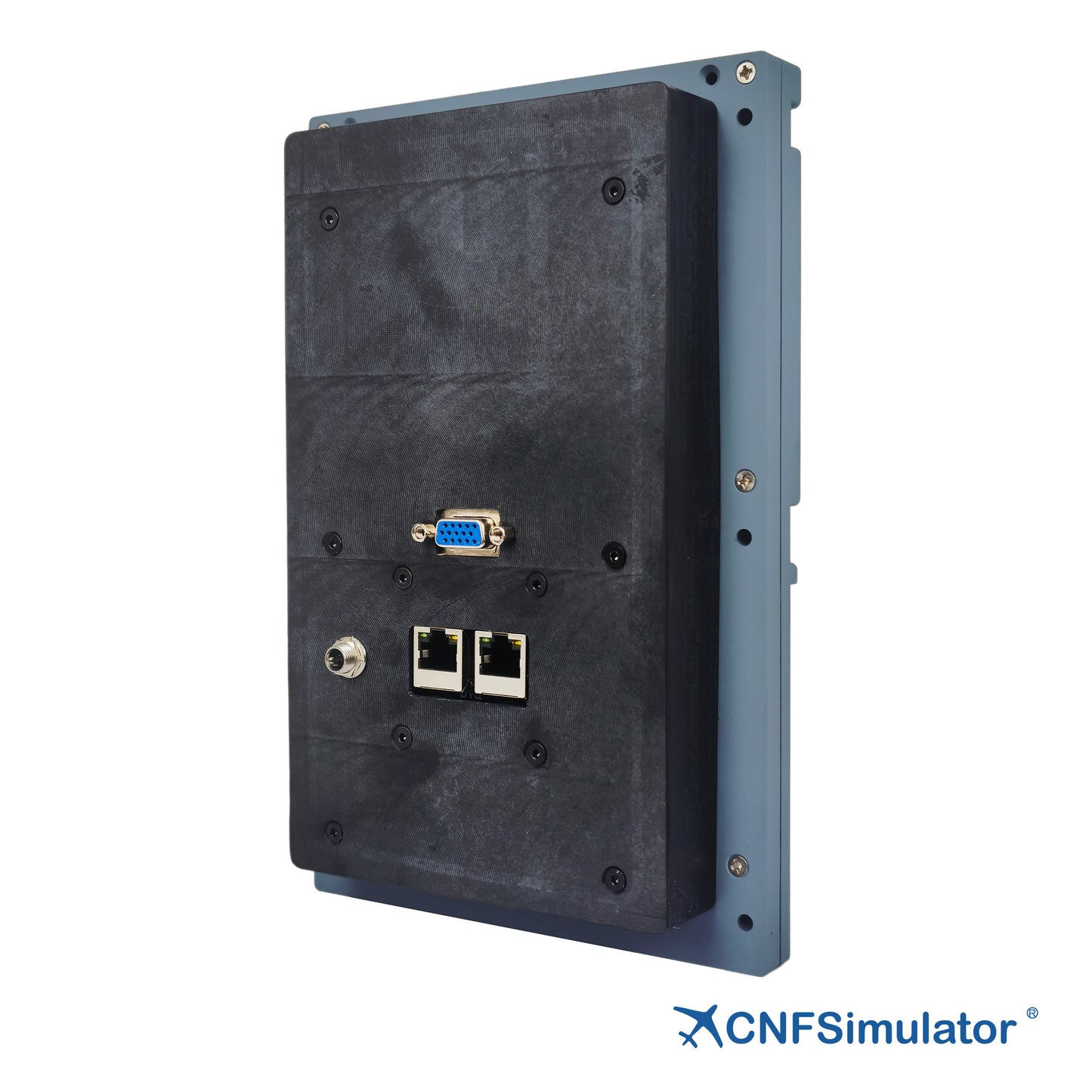
One network cable carries both communication and power, and one video cable outputs the picture — keeping the wiring simple. - High Compatibility
Together with the iFSim.Ready software it supports MSFS, Prepar3D, X-Plane and other mainstream platforms.
Functional Description
Input Functions
All panel keys provide independent key signals with an actuation force of 5 N. The keys follow the real aircraft’s styling with ergonomic concave caps — comfortable to press with clear feedback — and fully cover all inputs required for flight management:
- Function keys: DIR, PROG, PERF, INIT, DATA, etc.
- Line select keys: six on each side of the screen
- Alphabetic keyboard A–Z and numeric keyboard 0–9
- Auxiliary keys: direction keys, CLR, SP, OVFY, etc.
Output Functions
Panel outputs include the video display, annunciator lights and key backlights.
Display resolution 800 × 600, display area 101.5 mm × 76.2 mm
Each annunciator light is independently controlled; when extinguished, the text is invisible (black)
Annunciator light colours:
- Amber: FM1 / IND / FM2 / FAIL
- Green: RDY
- White: FM / MCDU MENU
Compatibility
Technical Specifications
The table below summarises the principal mechanical, electrical and compatibility parameters of the A320 MCDU.
| Item | Specification |
|---|---|
| Dimensions | 148 × 230 × 45 mm (W × H × D) |
| Weight | 0.7 kg |
| Package Dimensions | 280 × 200 × 100 mm (L × W × H) |
| Display Resolution | 800 × 600 |
| Display Area | 101.5 mm × 76.2 mm |
| Interface | RJ45, VGA, 24 VDC |
| Network Cable | Shielded RJ45 network cable, ≤ 26 AWG (smaller number = thicker) |
| Annunciator Lights | Amber / green / white, independently controlled |
| Backlight | Warm white, adjustable brightness |
| Installation | 6 mounting holes, bracket fixing |
| Compatible Aircraft Models | iFSim A320, ProSim A320, ToLiss A320, Fenix A320, Jeehell A320, etc. |

Logistics Information
Product will be shipped within 14 days after placing the order.
Customer Support
For any inquiries, please contact us at info@en.cntech.com.Inquiries will be addressed within 2 business days.
Warranty
Includes a 1-year limited warranty.
